INVITATIONS
Upload your list and send
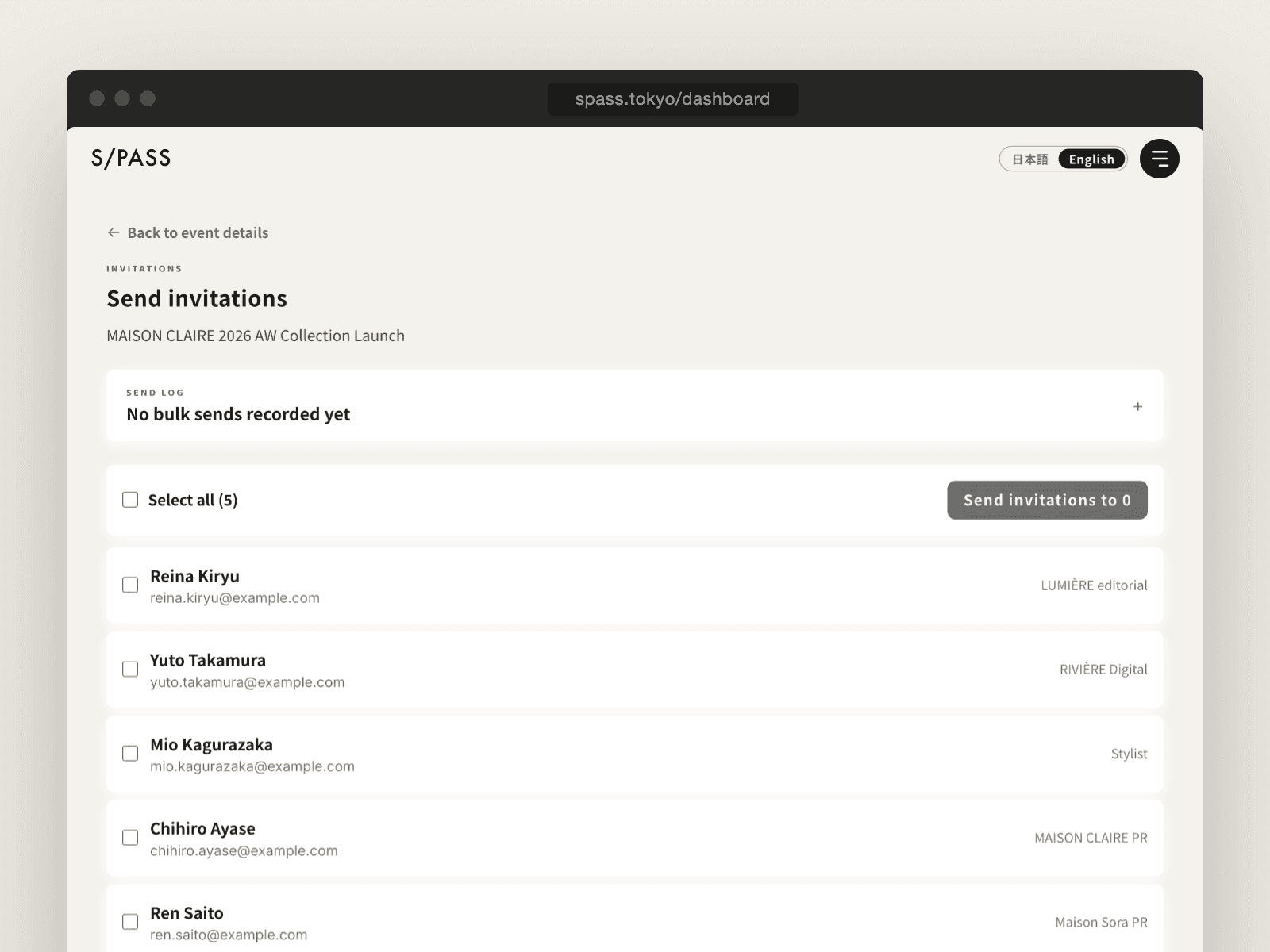
Import guests from CSV or Excel, or add them one by one. Remind only those who haven't replied. Guest emails go out in English, Japanese, or both.
QR check-in for invitation-only events
S/PASS is a QR check-in system built for invitation-only events. Guests need no app or account, and check-in takes two seconds on your staff's phones.
No ticket sales, no public sign-ups. Invite, collect replies, scan at the door, keep the record — S/PASS focuses on those four.
INVITATIONS
Import guests from CSV or Excel, or add them one by one. Remind only those who haven't replied. Guest emails go out in English, Japanese, or both.
RSVP
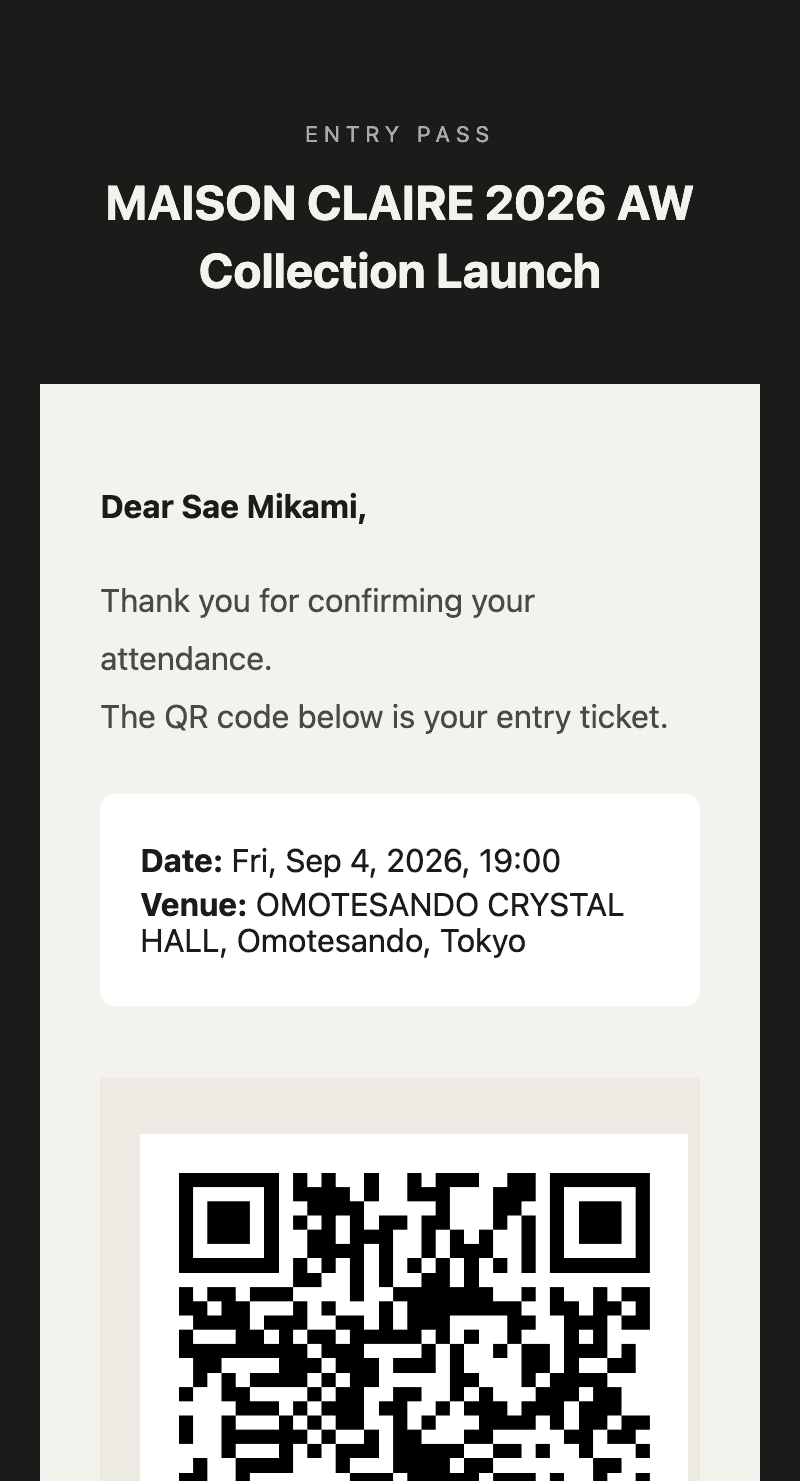
No login, no account, no app. The moment a guest says yes, their entry QR code arrives by email.
ON-SITE
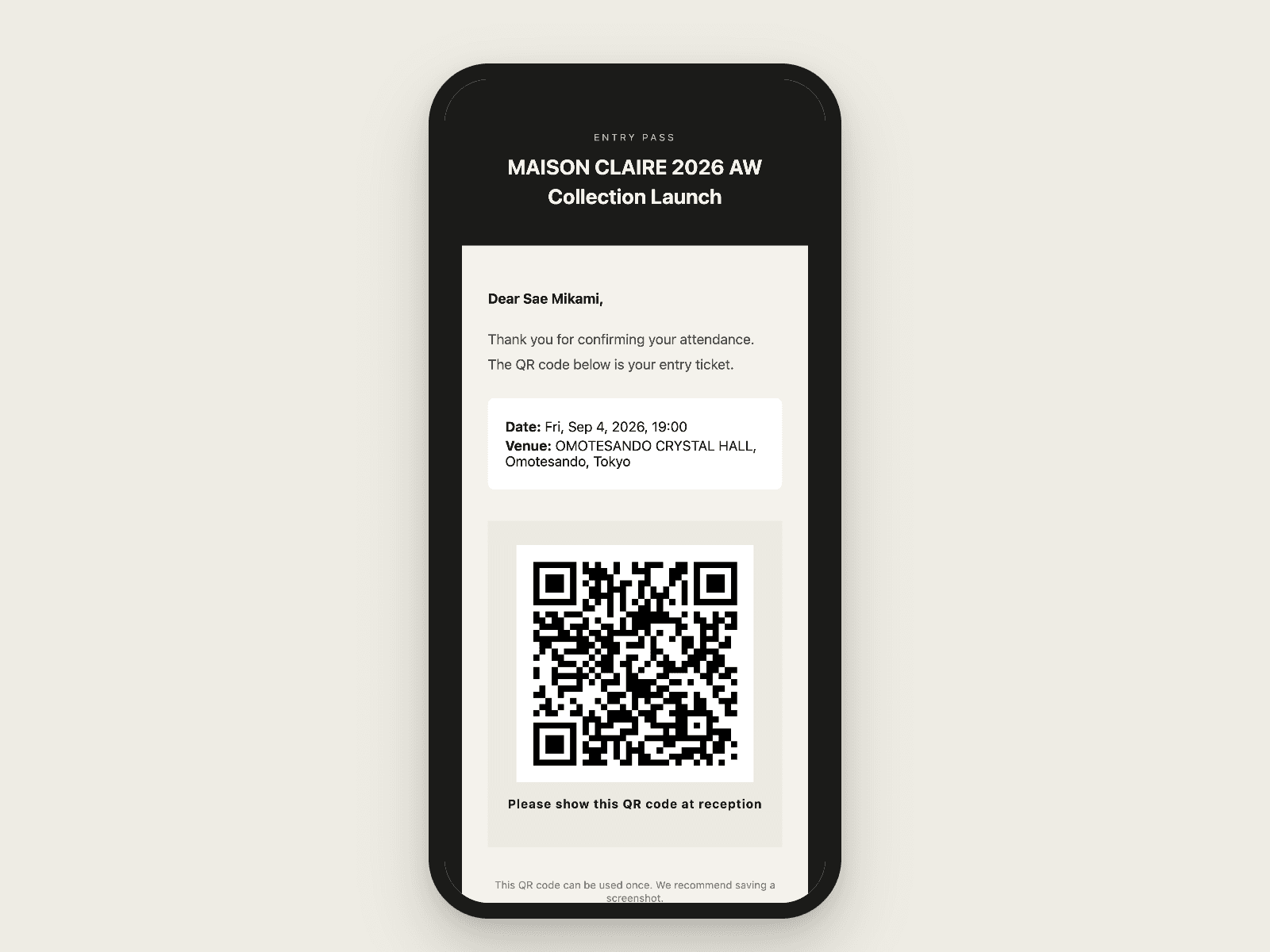
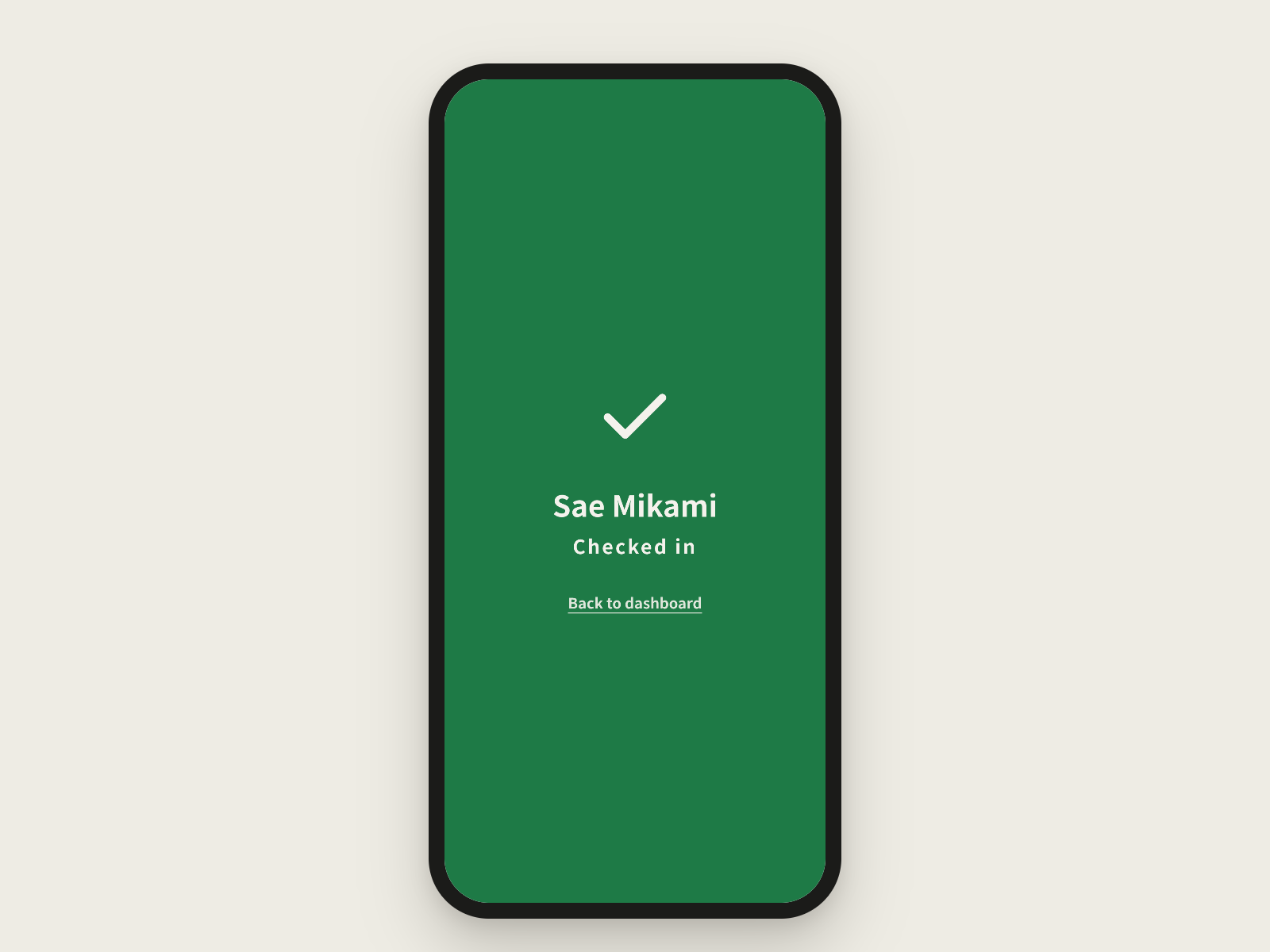
No special hardware. Check guests in on as many devices as you like, and a QR code that's already been used is stopped as “already checked in.”
DATA
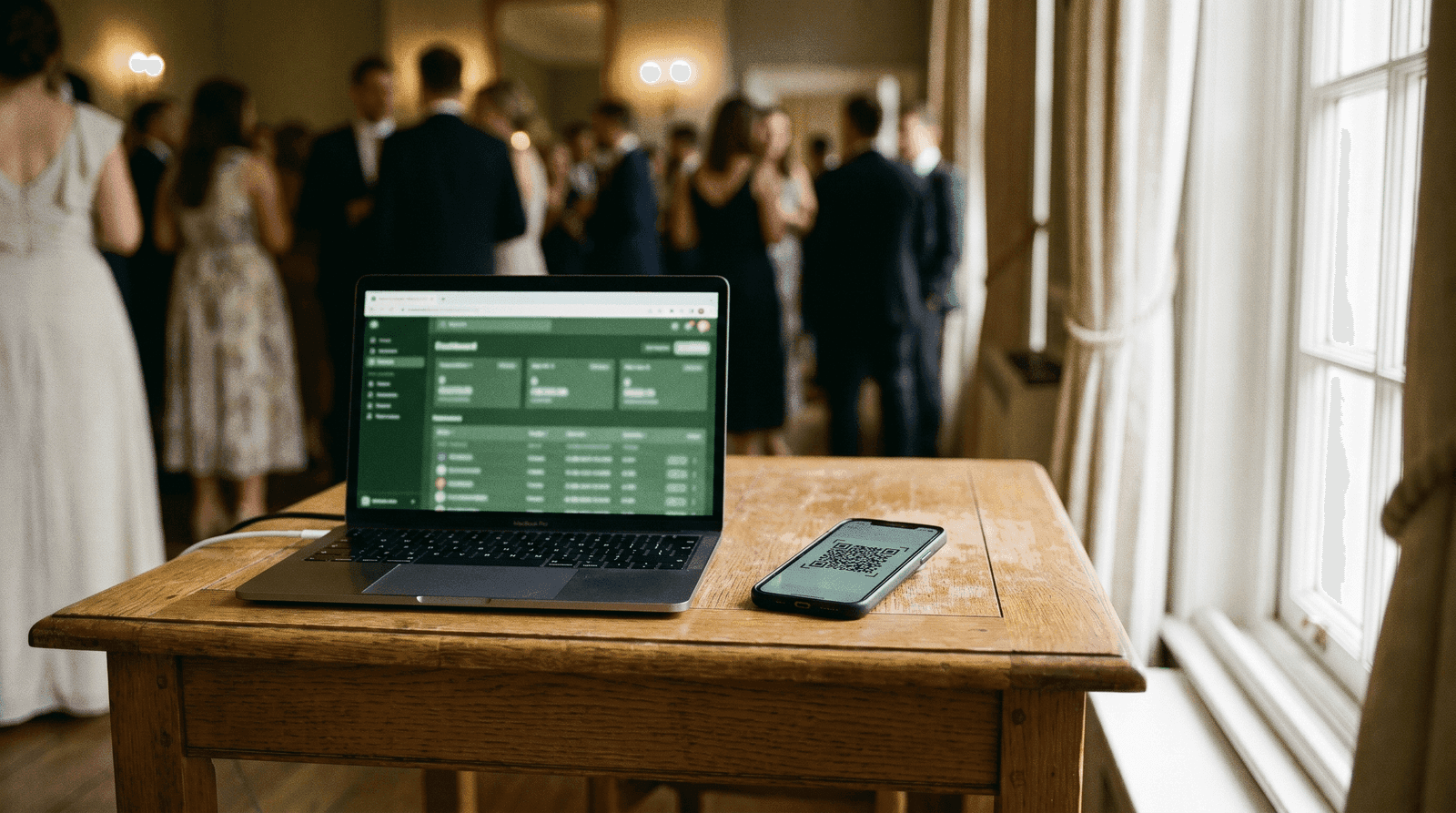
Arrivals update the dashboard instantly. Export to CSV with arrival times and reuse it for your next guest list.
Paper lists, spreadsheets, web invitation services, general event tools, and S/PASS. They differ in four ways: whether you can send only to the people you invite, whether replies flow into the guest list automatically, whether the entry QR is tied to the reply, and what you need at the door.
| Criteria | S/PASS | Paper list / Excel | Spreadsheet + form | Web invitation service | General event tool |
|---|---|---|---|---|---|
| Invite only the guests you name | ✓AvailableBulk or individual | △Partly / manual work remainsBy hand, one by one | ✓AvailableShared link | ✓AvailableInvitation link | △Partly / manual work remainsOpen sign-up model |
| RSVPs totaled automatically | ✓Available4 statuses | –Not availableCopied by hand | △Partly / manual work remainsManual matching | ✓Available | ✓Available |
| Entry QR codes | ✓AvailableAuto-sent on reply | –Not availableNone | –Not availableNeeds another tool | ✓AvailableQR in invitation | ✓AvailableTicket QR |
| Check-in device on the day | ✓AvailableAny staff phone | –Not availablePaper, by eye | △Partly / manual work remainsPhone list search | △Partly / manual work remainsApp or browser | △Partly / manual work remainsOften an app |
| Live attendance | ✓AvailableInstant | –Not available | △Partly / manual work remainsManual updates | △Partly / manual work remainsVaries | ✓Available |
| Effort for guests | ✓AvailableOne tap in email | ✓AvailableNone | △Partly / manual work remainsFill in a form | ✓AvailableUsually no app | △Partly / manual work remainsSign-up or app at times |
| Pricing model | ✓AvailableFirst free, then per event | △Partly / manual work remainsStaff time only | ✓AvailableFree (labor-heavy) | △Partly / manual work remainsOften per guest | △Partly / manual work remainsSubscriptions or fees |
Columns other than S/PASS describe general tendencies of each category (based on public information as of October 13, 2026). Examples of web invitation services: RECEPTIONIST 招待レセプション, ヨブナラ (Yobunara). Examples of general event management tools: EventHub, Peatix, イベントレジスト (EventRegist).
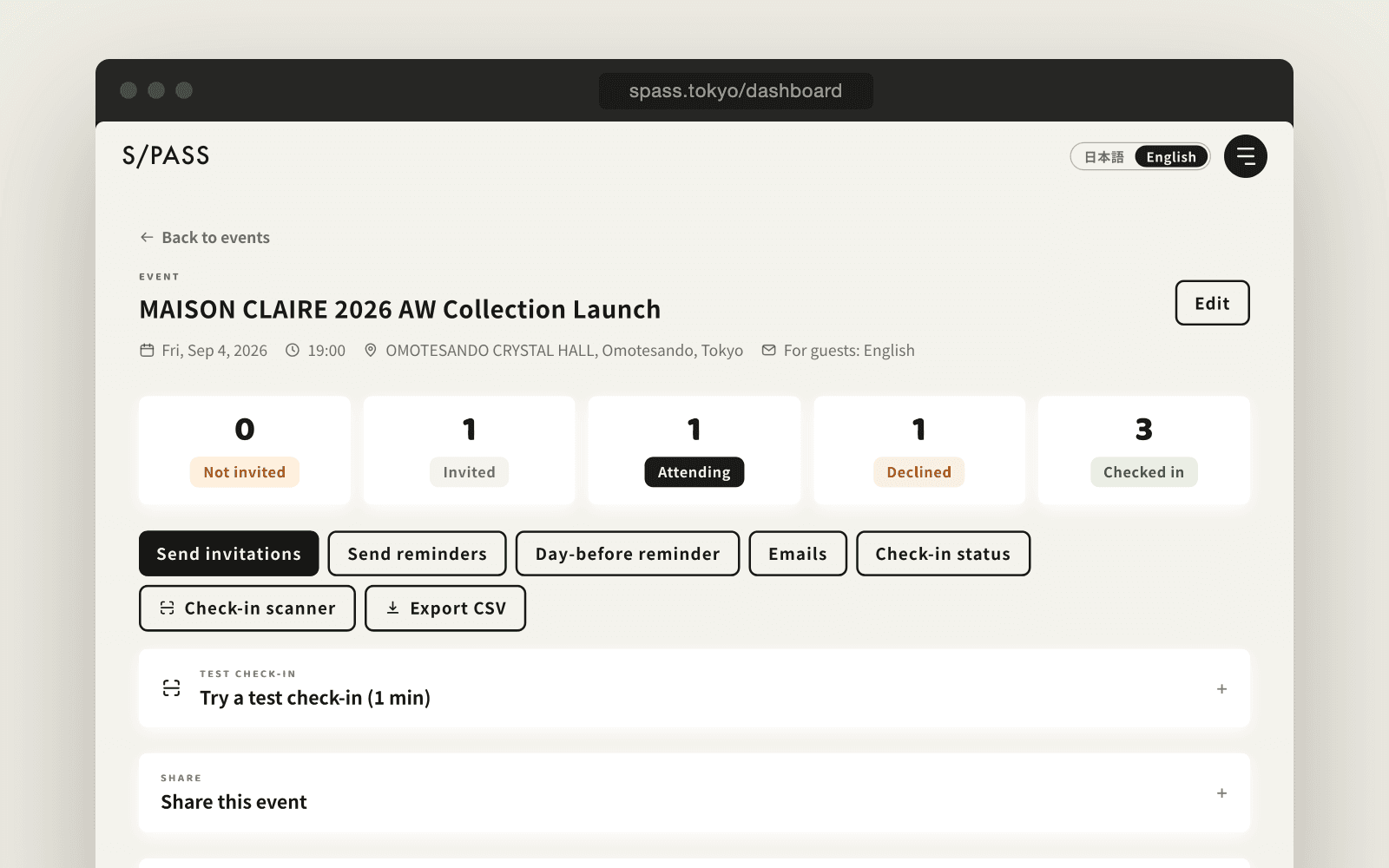
The screens and emails shown are the real S/PASS product, in English.
01 — INVITE
Enter guests' names and email addresses, or simply upload an Excel or CSV file.
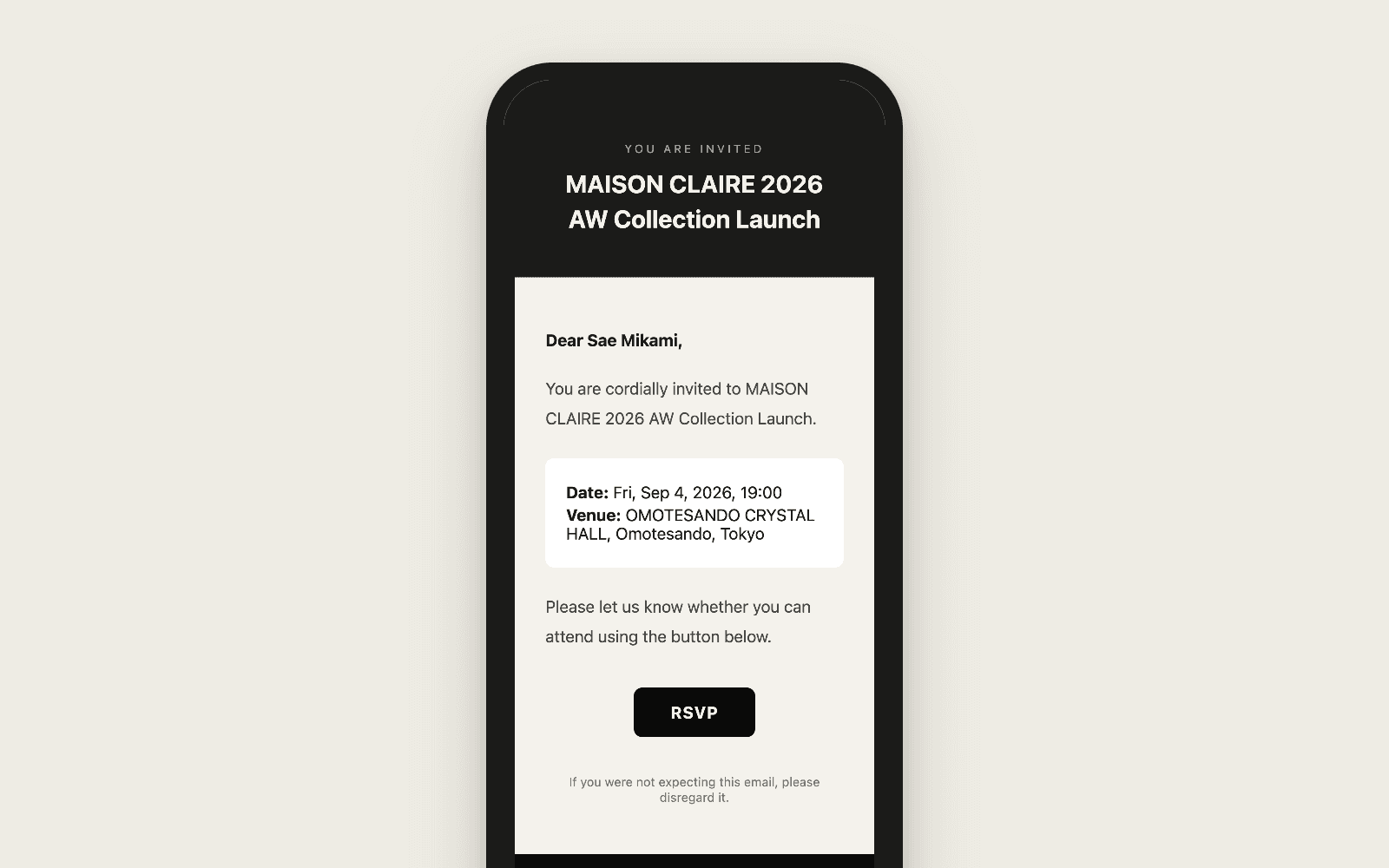
02 — RSVP
No app or account for guests. One tap to reply, and the QR code arrives instantly.
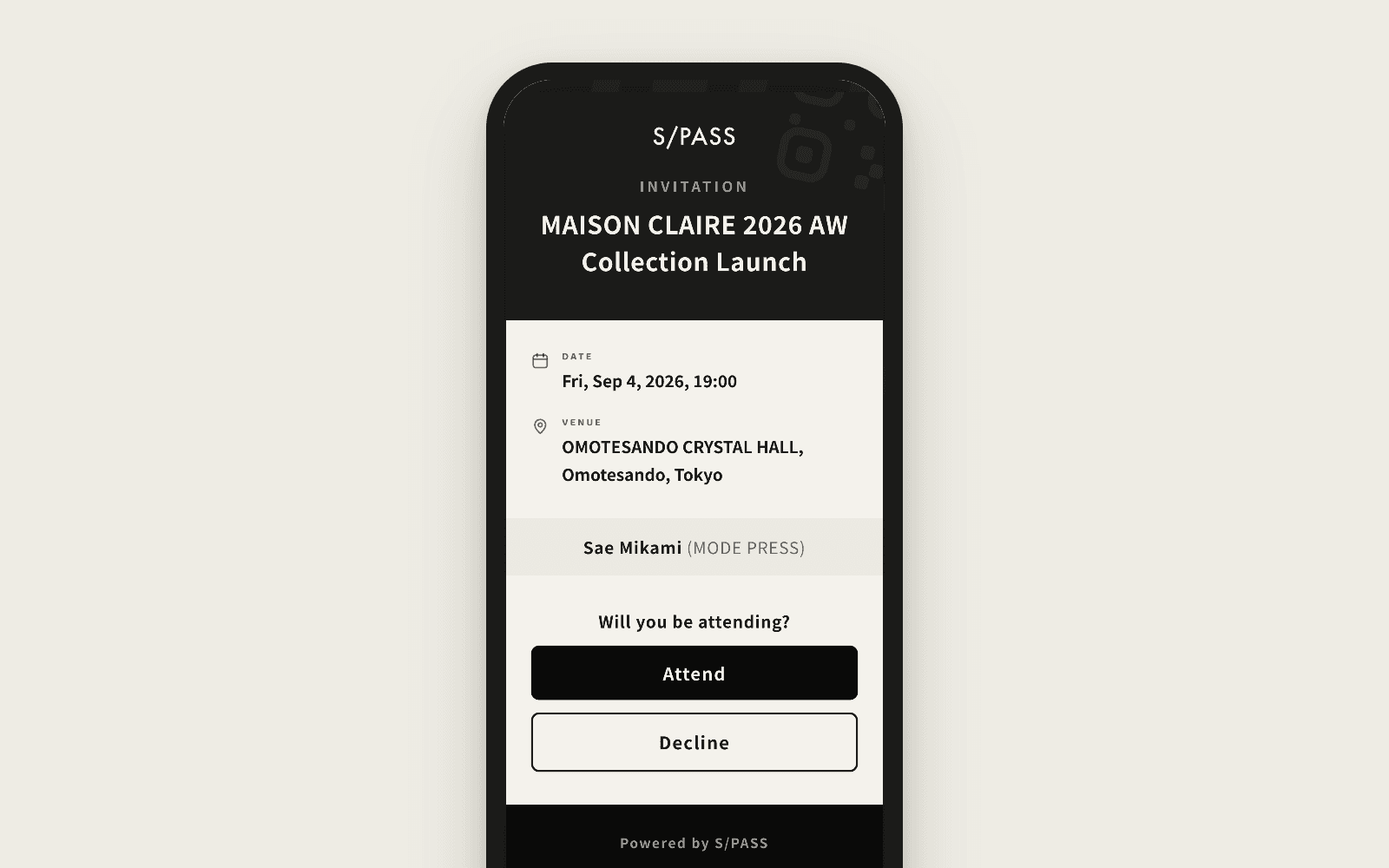
03 — QR
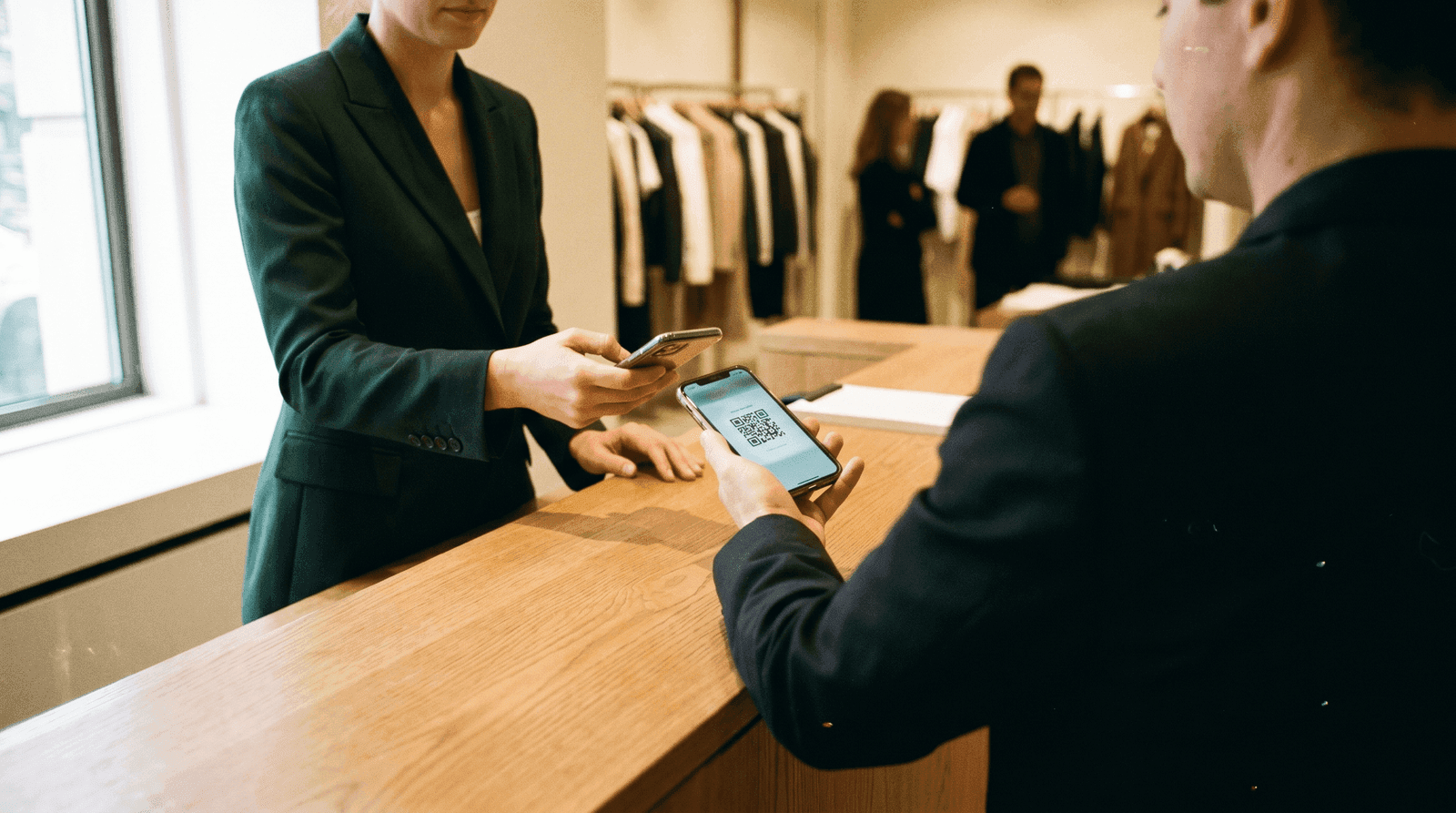
On a phone or on paper. Check-in takes two seconds, so no queue builds up.
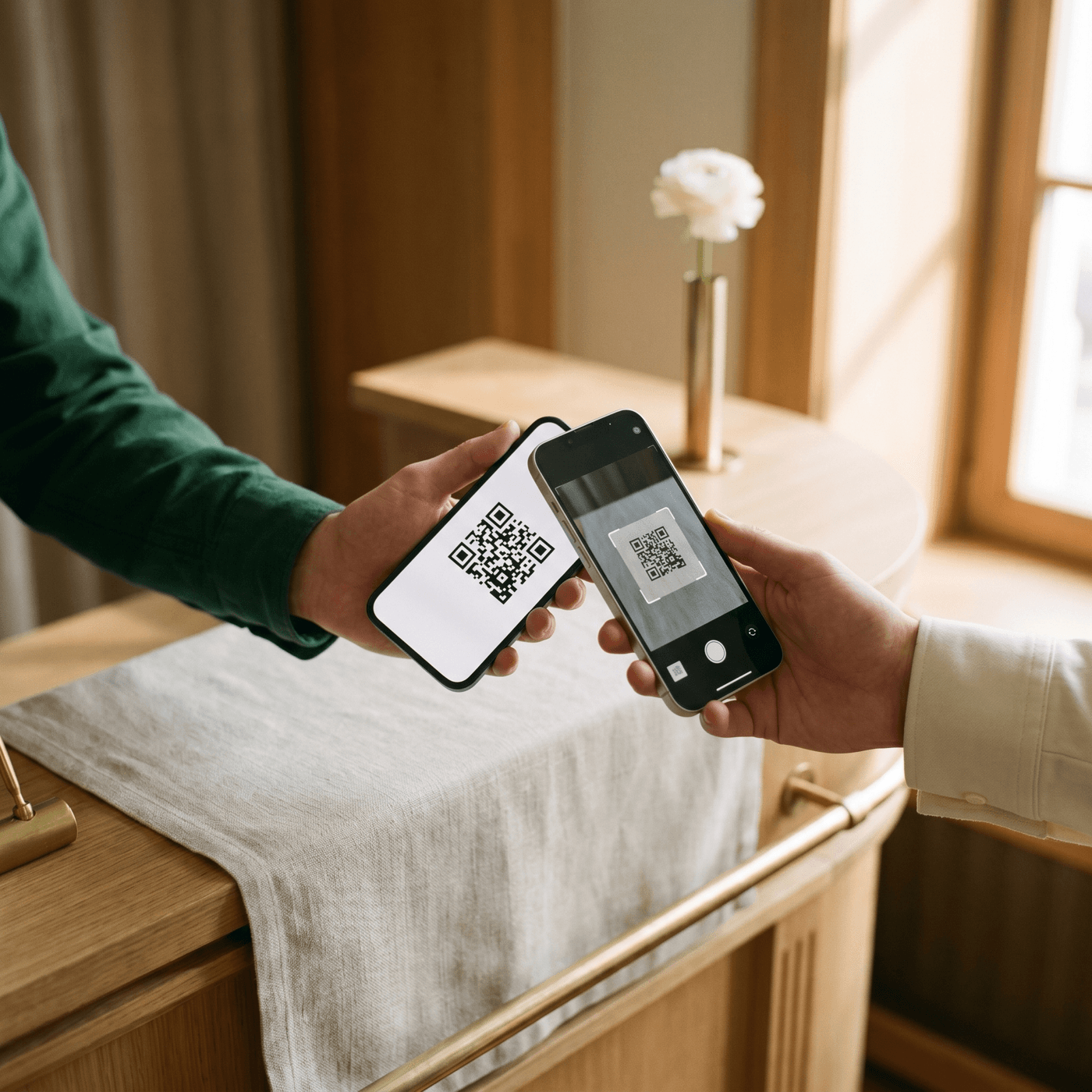
04 — CHECK-IN
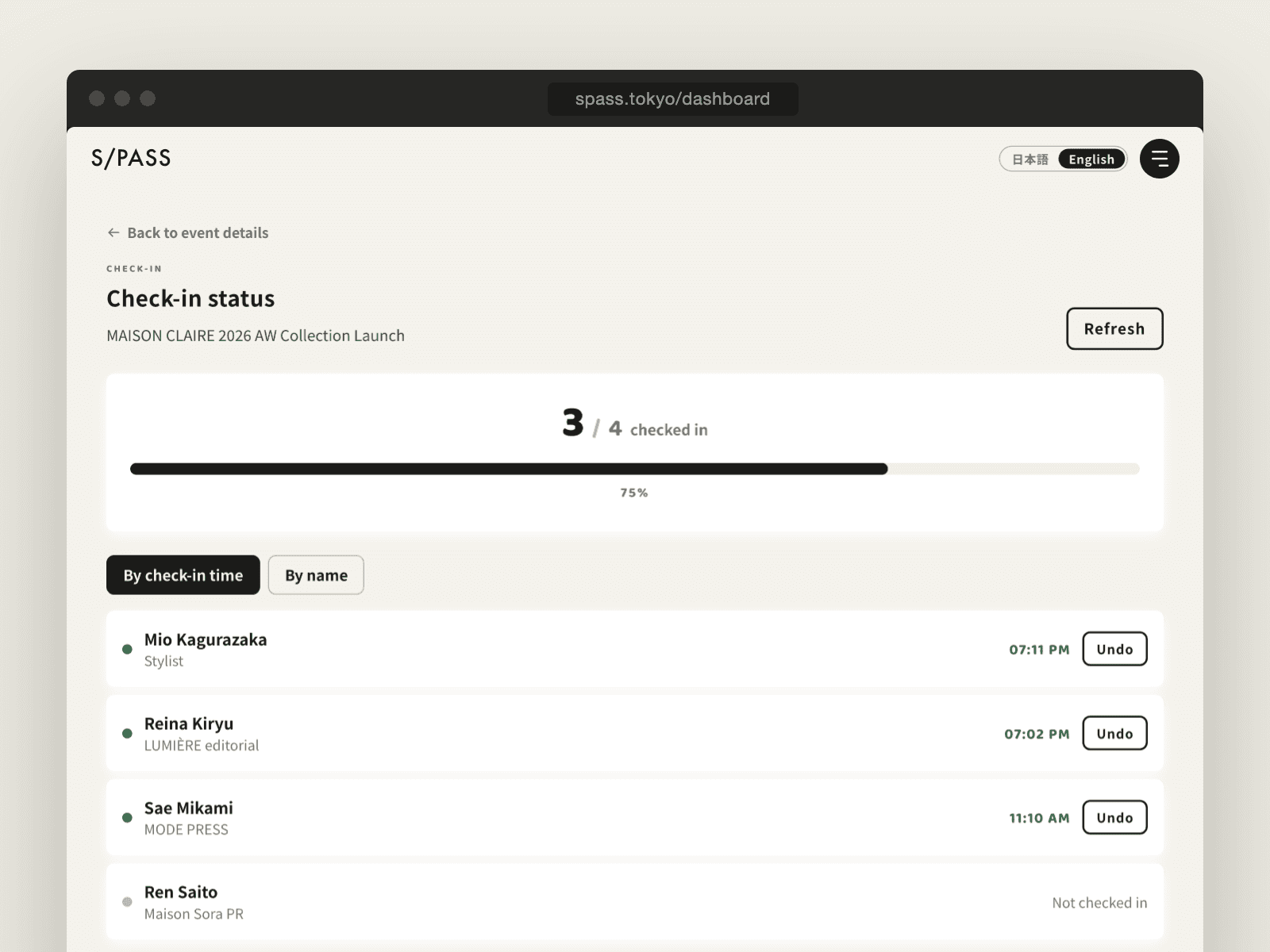
Check who has arrived in the dashboard in real time, so no VIP arrival goes unnoticed.
SIMULATION
A simulation based on a hypothetical event. These are not actual results.
Hypothetical event: “New collection launch (fictional)”. All figures are model values calculated from assumed conditions. A simulation based on a hypothetical event. These are not actual results.


Create an account and set up your first event right away — no credit card needed. From your second event, you buy a slot for each event you hold.
FIRST EVENT
$0/ event · up to 400 guests
PER EVENT — Up to 400 guests
$125/ event
From receptions and previews to launches and anniversary parties. No monthly contract, and slots never expire.
PRO — MONTHLY
$188/ month
Up to 3 events a month, 400 guests each. For agencies and teams that run events regularly. 14-day free trial.
Try the Pro planUS dollar prices are approximate (¥158 = $1). You're billed in Japanese yen — ¥19,800 per event, ¥29,800 per month — plus 10% consumption tax. For more than 400 guests or invoice billing, contact us. Visa / Mastercard / American Express / JCB / Diners Club
It takes four steps: (1) send invitation emails to your guests, (2) guests reply with one button in the email, (3) an entry QR code is emailed automatically the moment they say yes, and (4) on the day, your staff scan the QR with their phones.
It's a guest's reply to an invitation — whether they'll attend. With S/PASS, guests reply with one button in the email, with no login or account, and receive their entry QR code as soon as they say yes.
Yes. The organizer dashboard — events, guests, sending, email templates, settings, billing, team members, and sign-up and login — and your reception staff's check-in screens all work in English. Switch between 日本語 and English at the top right; your choice is saved to your account. For guests, you choose the language for each event: Japanese, English, or Japanese and English side by side. Invitation, reminder, day-before and entry-QR emails, the RSVP page and the guest pass then appear in that language. The invitation text you write yourself is sent exactly as written.
No. Guests simply reply from the invitation email, and their entry QR code arrives by email. They can reply on a phone, computer or tablet.
No. Your reception staff scan QR codes with the camera on their own smartphones or tablets. Several devices can check guests in at the same time, and a QR code that has already been used is blocked automatically.
There's no searching for names or ticking off paper, and each check-in takes about two seconds. Attendance is totaled in the dashboard in real time, and arrival times are recorded and can be exported to CSV.
Up to 400 guests per event on every plan — the free first event, event slots and the monthly Pro plan. For larger events, please contact us. You can import your guest list in bulk from CSV or Excel.
Yes, for each event. You can edit the subject and body to match the tone of your brand and event.
The event page in the dashboard shows invited, attending, declined and checked-in counts in real time. On the day, a dedicated page shows arrivals as they happen.
No. Invitation emails, RSVPs, entry QR codes and on-site check-in all work exactly as in paid events. Up to 400 guests, no credit card required. It isn't a trial — use it for your actual event.
No. They stay in your account until you use them, so you can buy a slot in advance and create the event later.
Delete the event and its slot returns to unused, ready for your next event.
Buy additional event slots and you can hold more events in the same month.
Yes. You can download PDF receipts anytime from "Plan & billing" in the dashboard.
If you hold a few events a year, paying per event (up to 400 guests, $125 / ¥19,800) is the most economical. If you run two or more events a month, the monthly Pro plan ($188 / ¥29,800, up to 3 events a month, 400 guests each) costs less per event. The Pro plan includes a 14-day free trial. Prices exclude tax, and you're billed in Japanese yen.
Credit cards: Visa, Mastercard, American Express, JCB and Diners Club. You're billed in Japanese yen, and your card issuer converts the amount; the US dollar prices on this page are approximate (¥158 = $1).
Would you like a walkthrough from our team? Tell us how to reach you and, if you like, which plan you're considering. We'll get back to you within 24 hours.
Your first event is free. No credit card required.